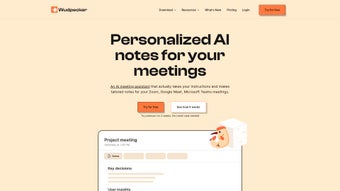

Download Wudpecker – AI Meeting Assistant for Productivity
Overview
In today’s fast‑paced business environment, meetings have become both a blessing and a curse. While they are essential for alignment, they often consume valuable time and leave participants scrambling for accurate notes. Wudpecker steps in as a modern, AI‑powered meeting assistant that transforms chaotic conversations into clear, actionable outcomes.
Built as a web‑based application, Wudpecker leverages ChatGPT‑driven summarization and real‑time transcription to automatically generate high‑quality meeting notes, agendas, and follow‑up tasks. The platform offers a library of pre‑built templates tailored to specific scenarios—sales calls, customer feedback sessions, performance reviews, and more—ensuring that every meeting starts with a purpose‑driven agenda. Seamless integration with collaboration tools such as Slack, Zoom, and Notion means that insights flow directly to the places teams already work, eliminating manual copy‑pasting and reducing the risk of information loss.
Whether you belong to a sales, marketing, or customer success team, Wudpecker’s subscription model provides a scalable solution that grows with your organization, delivering consistent productivity gains without the need for additional personnel.
Key Features That Set Wudpecker Apart
- AI‑Generated Summaries: Powered by ChatGPT, the tool instantly creates concise, searchable summaries after each meeting, saving hours of manual note‑taking.
- Real‑Time Transcription: Accurate speech‑to‑text conversion that captures every spoken word, with speaker identification for easy reference.
- Template Library: Ready‑made agendas for sales calls, product demos, retrospectives, performance reviews, and more—customizable to fit any workflow.
- Seamless Integrations: One‑click connections to Slack, Zoom, Notion, Microsoft Teams, and Google Calendar for effortless sharing and scheduling.
- Action Item Extraction: The AI highlights decisions, tasks, and owners, then pushes them to your preferred project management tool (e.g., Asana, Trello).
- Searchable Knowledge Base: All transcriptions and summaries are indexed, allowing users to retrieve past discussion points with simple keyword queries.
- Security & Compliance: End‑to‑end encryption, GDPR‑ready data handling, and role‑based access controls keep sensitive information safe.
- Multi‑Language Support: Supports English, Spanish, French, German, and Mandarin, expanding usability for global teams.
- Custom Branding: Companies can add their logo and color scheme to the meeting interface, reinforcing brand consistency.
- Analytics Dashboard: Provides insights into meeting frequency, average duration, and participant engagement to help leaders optimize meeting culture.
Installation & Usage: Getting Started in Minutes
Step‑by‑Step Installation
Wudpecker is a cloud‑native SaaS product, which means there is no traditional software download or complex installation process. To begin, visit the official website and click the Sign Up button. You can register using an email address, Google Workspace, or Microsoft Azure AD account. After confirming your email, you’ll be prompted to select a subscription tier—Starter (free trial), Professional, or Enterprise. Once the plan is activated, the dashboard appears, guiding you through a quick onboarding wizard.
Connecting Your Collaboration Tools
The wizard asks you to link your existing tools. For Slack, you’ll authorize Wudpecker to post summaries in designated channels. Zoom integration requires you to grant access to meeting recordings and live events, enabling automatic transcription. Notion users can choose a workspace where meeting notes will be saved as pages. Each integration follows OAuth standards, ensuring that credentials remain secure and are never stored in plain text.
Running Your First Meeting
From the dashboard, select “Create New Meeting” and choose a template that matches your agenda. Fill in the meeting title, participants, and any pre‑meeting notes. When the meeting starts, you can either launch a Zoom call directly from Wudpecker or join an existing session.
The AI begins recording and transcribing in real time. As the conversation progresses, the assistant suggests talking points, prompts follow‑up questions, and flags potential action items. After the call ends, the AI automatically compiles a polished summary, highlights decisions, and distributes the final notes to the linked Slack channel and Notion workspace.
Users can also export the document as PDF or Markdown for offline archiving.
Best Practices for Maximum Efficiency
- Pre‑populate agendas with clear objectives to guide the AI’s focus.
- Encourage speakers to speak clearly and avoid overlapping dialogue for optimal transcription accuracy.
- Review the “Action Items” section immediately after the meeting to assign owners and set due dates.
- Leverage the analytics dashboard weekly to identify patterns—such as meetings that consistently run over time—and adjust scheduling accordingly.
Compatibility, Pros & Cons, and Frequently Asked Questions
Supported Platforms
As a web application, Wudpecker runs on any modern browser—including Chrome, Edge, Firefox, and Safari—across Windows, macOS, Linux, iOS, and Android devices. The mobile experience is optimized for touch interaction, allowing on‑the‑go note review and quick action‑item updates directly from smartphones or tablets.
Pros
- Automated, high‑quality summaries eliminate manual note‑taking.
- Rich template library accelerates meeting preparation.
- Deep integrations with Slack, Zoom, Notion, and project‑management tools streamline workflows.
- End‑to‑end encryption and compliance features protect confidential data.
- Searchable transcript archive turns meetings into a knowledge repository.
Cons
- Subscription cost may be a barrier for very small teams or freelancers.
- AI summarization accuracy depends on audio quality; noisy environments can affect transcription.
- Initial setup of multiple integrations can feel overwhelming for non‑technical users.
FAQ – Your Questions Answered
Can Wudpecker transcribe meetings that are not hosted on Zoom?
Yes. Wudpecker can ingest audio files from any source—Microsoft Teams, Google Meet, or even pre‑recorded MP3s. Simply upload the file in the dashboard, and the AI will generate a transcript and summary.
Is there a free tier available for individuals?
Wudpecker offers a 14‑day free trial of its Professional plan, which includes all core features. After the trial, you can continue with a paid subscription or downgrade to a limited free tier that provides basic transcription without AI summarization.
How does Wudpecker ensure data privacy?
All data is encrypted in transit (TLS) and at rest (AES‑256). The platform complies with GDPR, CCPA, and ISO‑27001 standards. You can also configure role‑based access controls to limit who can view or edit meeting records.
Can I customize the AI’s tone or style for summaries?
Yes. Within the settings panel, you can select a tone—formal, conversational, or concise—so the generated summaries match your company’s communication style.
Does Wudpecker integrate with my existing CRM?
Through Zapier or native connectors, Wudpecker can push contact information, meeting outcomes, and follow‑up tasks directly into popular CRMs such as Salesforce, HubSpot, and Pipedrive.
Conclusion & Call to Action
Meetings are the lifeblood of collaborative work, but they often become time‑sinks without clear outcomes. Wudpecker addresses this challenge head‑on by automating agenda creation, real‑time transcription, and AI‑driven summarization—all within a secure, cross‑platform environment. The combination of pre‑built templates, deep integrations, and searchable archives equips teams to focus on strategic conversations rather than paperwork. While the subscription cost reflects the premium AI capabilities, the productivity gains—measured in saved minutes per meeting—quickly offset the investment for most organizations.
If you’re ready to upgrade your meeting culture, eliminate the endless scroll of raw transcripts, and empower every participant with clear action items, download Wudpecker today. Start with the free trial, explore the template library, and experience how an AI meeting assistant can turn ordinary discussions into powerful, outcome‑driven sessions.
Pros:
- Automatic, accurate AI summaries
- Robust integration ecosystem
- Secure, compliant data handling
- Searchable knowledge base
- Customizable tone and branding
Cons:
- Higher price point for small teams
- Audio quality impacts transcription
- Initial integration setup can be complex






